Search This Blog

Showing posts with label vmware. Show all posts

Monday, 27 April 2015

What's the difference between a Virtual Machine and a Container?

With the current trend towards "Containers" as opposed to "Virtual Machines", I've had a few people asking what the difference was, and where you might use one over the other.

I hope to keep this brief, but... 

Both Containers and Virtual Machines have been around for quite some time.  Mainframe and Commercial UNIX have had terms like LPAR for Logical Partition (Representing VM) and WPAR for Workload Partition (Representing Containers) for over a decade (Mainframe since 1972!!!).

UNIX/Linux have used "chroot" filesystems (otherwise known as "chroot jail")  for years to secure running processes such as a web server or database server. The earliest implementation of "containers" was the 1979 introduction of chroot into UNIX Version 7.

Currently chroot is a part of just about every major distribution of Linux.
________________________________________________________________________________

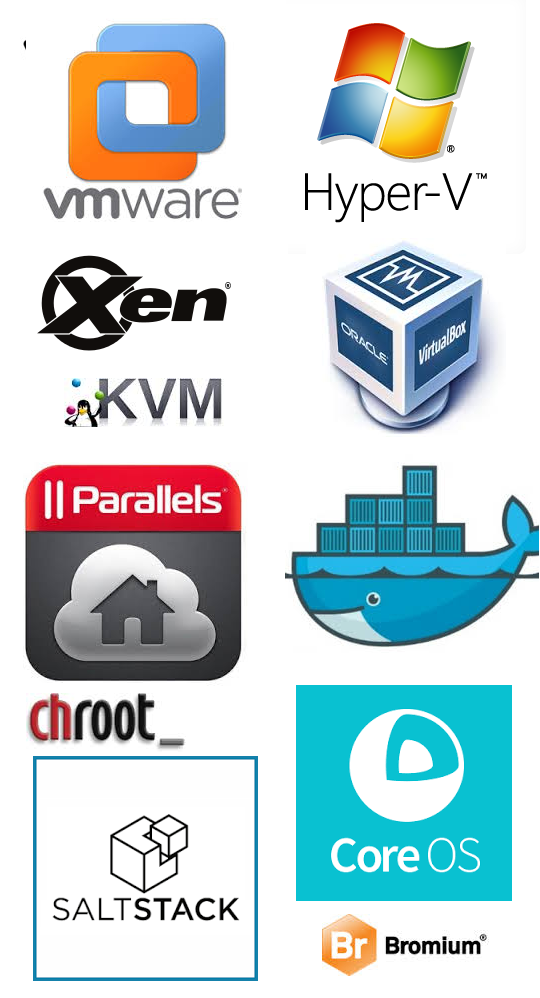
In very high level terms, a Virtual Machine or Hypervisor (such as VMWare, Hyper-V, KVM, VirtualBox, and Xen) is designed to emulate an entire physical computer including the various hardware abstraction required for networking, video, audio, etc... 

In a word, VMs are FAT! 

http://www.accenture.com/us-en/blogs/technology-blog/archive/2014/08/26/inspiration-through-elevation-simplified-configuration-management-with-docker.aspx
Via Accenture:

A container on the other hand ( DockerParallels , CoreOS, chroot, ...)  runs on top of an existing kernel, leveraging resources form the kernel, and merely presents a virtual userspace with separate filesystem, CPU, memory and protected processes.  

Without having to emulate the underlying hardware, you can pack 3-4 times as many containers into the same resource pool as a single Virtual Machine.


So why would I use Virtual Machines, if Containers are just as good?  

Well, because a Virtual Machine abstracts the ENTIRE hardware platform, there's evidence that it is better suited to defined network segregation.  

You could, for instance, define a Virtual Machine to represent your web application in it's entirety, then within that VM, create containers for the web, app, and database tiers.  The containers would provide logical segregation between the tiers, and the VM would protect the entire application from other apps in the DMZ.

Virtual Machines also allow you to run completely different Operating Systems simultaneously on the same hardware.  For instance, on your Ubuntu Laptop, you could use Virtualbox, to simultaneously run Windows 8.1 and OSX.    

Or, on your server, you could simultaneously run Redhat Linux, Windows Server 2008, and Windows Server 2012.   

A containerized system, as mentioned above, runs all containers off of the same Operating System Kernel.

And by far the biggest benefit of Containers over Virtual Machines is speed of launch. A Virtual Machine is, for all intents and purposes, a complete computer Operating System.  On boot, it has to run through all of the legacy boot processes... 

A Container launches on an already running kernel.  A full containerized application can launch in a fraction of a second (restricted only by I/O) whereas that same app launched within a Hypervisor context could be from tens of seconds to potentially a minute or more depending on boot requirements.


Edit: (04/28/2015)

Bromium is an newcomer to the virtualization space, and one to watch carefully.  Based on a fork of the Xen hypervisor, Bromium relies heavily on Intel's hardware virtualization for isolation.

Unlike either of the above Hypervisor or Container approaches,  Bromium isolates specific services in Windows, such as launching an application, downloading an email attachment, or clicking a hyper link in a browser.  When these activities are identified, Bromium creates a small task-specific "Microvisor" to encapsulate and segregate only the resources required for that task.  Mandatory Access Control policies ensure protection of the underlying Operating System, as well as any other apps running on the host.

When NSS Labs tested the Bromium architecture, it achieved a perfect score in defeating all malware, as well as manual and scripted attempts at penetration.


References:

VMware just created its first Linux OS, and it’s container-friendly
Why Containers Instead of Hypervisors? 
WPARs Vs LPARs 
IBM Systems Magazine: An LPAR Review 
Wikipedia: Workload Partitions
Wikipedia: Virtual machine 
Wikipedia: Operating-system-level virtualization 
Wikipedia: Chroot 
Best Practices for UNIX chroot() Operations 
Ubuntu: Basic chroot  
BELL LABS: UNIX (TM) TIME-SHARING SYSTEM: UNIX PROGRAMMER’S MANUAL Version 7 
LinuxContainers.org (LXC)
Containers—Not Virtual Machines—Are the Future Cloud 
Contain your enthusiasm - Part One: a history of operating system containers 
Docker 
Accenture: Inspiration through Elevation: Simplified Configuration Management with Docker  
Gartner: Virtualization, Containers and Other Sandboxing Techniques Should be on Your Radar Screen 
Bromium vSentry Sets New Standard for Security Effectiveness 
NSSLABS: Threat Isolation Technology Test Report: Bromium vSentry
Bromium: Micro-virtualization for the Security Architect 

Thursday, 20 November 2014

Jentu: Canadian Company aims to turn VDI upside down

For the past decade and a half, Citrix and then VMWare have promised to deliver Virtual Desktop
seamlessly and efficiently to the corporate user... Maintenance and patching could be done on images on the server side, and when a user logged in, they would receive the updates.  Beautiful!

 Citrix first called it WinFrame, then Metaframe Presentation Server, then finally XenApp.  Any which way, it is Server Based Computing, and they had the market share in virtualized desktops and application streaming for the better part of the late 90s through mid 2000s. They used a proprietary protocol called ICA or Independent Computing Architecture to deliver applications or complete desktops to an end user.

This "thin computing" as it was called could be delivered to a smart terminal or any of the existing Desktop Platforms of the time, whether it be Windows, MAC OSX, or UNIX/Linux.  It was going to greatly reduce the cost of the desktop through reductions in hardware requirements and maintenance.


VMware was working on a very robust Server Virtualization at the same time, and did not bring a Desktop Virtualization product to market until significantly later than Citrix. Their first product was called VMWare VDM (Virtual Desktop Manager).  This was later branded VMWare View, then recently VMWare Horizon View.

Years later, Microsoft also joined the game with Microsoft Virtualization Desktop Infrastructure.


Citrix positioned itself on a mantra it called MAPS: 
Management, Access, Performance, and Security.

Through centralizing the desktop images and applications, Management became infinitely easier.   You didn't have to install, patch, or maintain Operating Systems or Applications on a myriad of desktops.  You managed them locally on the server, and an end user would get the update when they logged back in. 

Access meant that just about every desktop platform used at the time had the ability to render Citrix presentations.  As long as they had adequate video capabilities, a keyboard, mouse, and network connectivity, it was likely that they could run Citrix ICA.

Performance was achieved for many applications that required constant backed or file share access.  Two-tiered applications where the desktop application connected to a database or file share on the back end could be placed close to that back end and latency was practically removed.  

Security was achieved through several artifacts of the technology.  Firstly, your data never left the data center.  Merely a video representation of it in the form of an ICA session was made available to your monitor. Secondly patching was done on the image files on the server, and were inherently available the next time the user logged in.  Antivirus could be done from the backend, scanning all of the running guest images simultaneously.  Updates would be immediate, and complete. 


 So how come uptake is now less than stellar?

Today, there is little delta in cost between a Smart Terminal and a low end Intel/AMD based PC.  Without the cost incentive, adoption has slowed. 

Network's have become exponentially faster.  Today's network environment has removed most of the latency issues chronically plaguing legacy applications.

Another entire tier of infrastructure is required to satisfy a typical VDI solution. High end multi-core server clusters with hundreds of Gigabytes of memory are required to host these remote sessions. 

Offline is not an option.  In a typical VDI infrastructure, when your network saturates or becomes disconnected... your entire farm is unavailable.  All workstations cease to work.

And most importantly, today's applications are Media Rich.  High end graphics and audio processors are the norm on the average desktop purchased, but the Server Based Computing model still fails to deliver on the performance requirements in this area. 


So? What's this Upside Down VDI thing you started with?

 In 2006, Citrix acquired a company/technology called Ardence.  Ardence basically stood up generic workstation boot images and user profile drives, and provisioned them through PXE boot to your workstations. You got the benefits of secure patching and antivirus every time you booted, and if there were hiccups in the network, you were still operational. AND!!!  The image ran locally on your Desktop hardware.  No huge backend server infrastructure other than the provisioning box, and all the media performance you could manage locally!  

Citrix has since rebranded this as Citrix Provisioning Services and focused it more on provision virtual images for its core line of business, the XenApp services as opposed to physical workstations. 


Now, if you follow VDI or Citrix in general, the name Brian Madden is etched into your very optic nerves. He is the defacto guru of anything resembling Virtualized Desktop.


In early October, he issued the following articleBrian Madden: Remember how Ardence was awesome before Citrix screwed it up? You need to know about Jentu: Disk streaming to physical desktops 


Jentu is a Canadian Company, out of Toronto Ontario. 


Even though the company name is relatively new, Jentu has been around in one form or another for over a decade.  Jentu introduced their Diskless Workstation provisioning architecture several years ago as a means to support multiple workstations at their remote customer sites.  Rather than remotely accessing and managing individual workstations on a remote network, they came up with a scheme that would manage Virtual Disk images on a file server.  These images would be maintained for patching and antimalware.  Typical office applications would be applied  to the image and maintained as well.  User profiles and data, as well as host hardware profiles would be stored on a separate volume on the network. 

When a user rebooted their physical workstation, a PXE boot (network boot) would connect the workstation (based on MAC address) to the correct boot image, and stream that image via secured iSCSI to the workstation.  User logon would then pull down their personal profile for desktop, etc via group policy in Active Directory.

From that point on, the user is running live on their own physical workstation with all the benefits of the hardware on their desk.  


  Remember that MAPS acronym from Citrix?   

 Management, Access, Performance, and Security.

Jentu is batting 4 for 4 on this.  Management is still centralized. Access to images is local to the provisioning server. Performance is determined by the individual desktop hardware used, and the network connectivity provisioned.  Security is ensured through encrypted iSCSCI, as well as security and patch management of centralized images. 

If you haven't heard of Jentu, I suggest you go check them out now.  You'll definitely be hearing more of them in the future.


From the Jentu site: 

Jentu is a server-controlled diskless computing platform that enables an organization to manage their desktop infrastructure through the cloud, while keeping all processing at the local endpoint.


Without a hard drive at the workstation, a user simply reboots to have their system restored to a clean and pristine operating system. The removal of hard drives reduces the number of costly on-site service failures. Task automation increases administrator efficiency, while the intuitive Jentu Control Panel allows a single administrator to manage hundreds of locations, dramatically reducing annual management costs. Jentu does not suffer bottlenecks associated with traditional VDI as it utilizes an adaptive cache which learns how your workstations are using the OS and keeps frequently accessed bits in memory.


Resources: